Your design, photoreal in seconds.

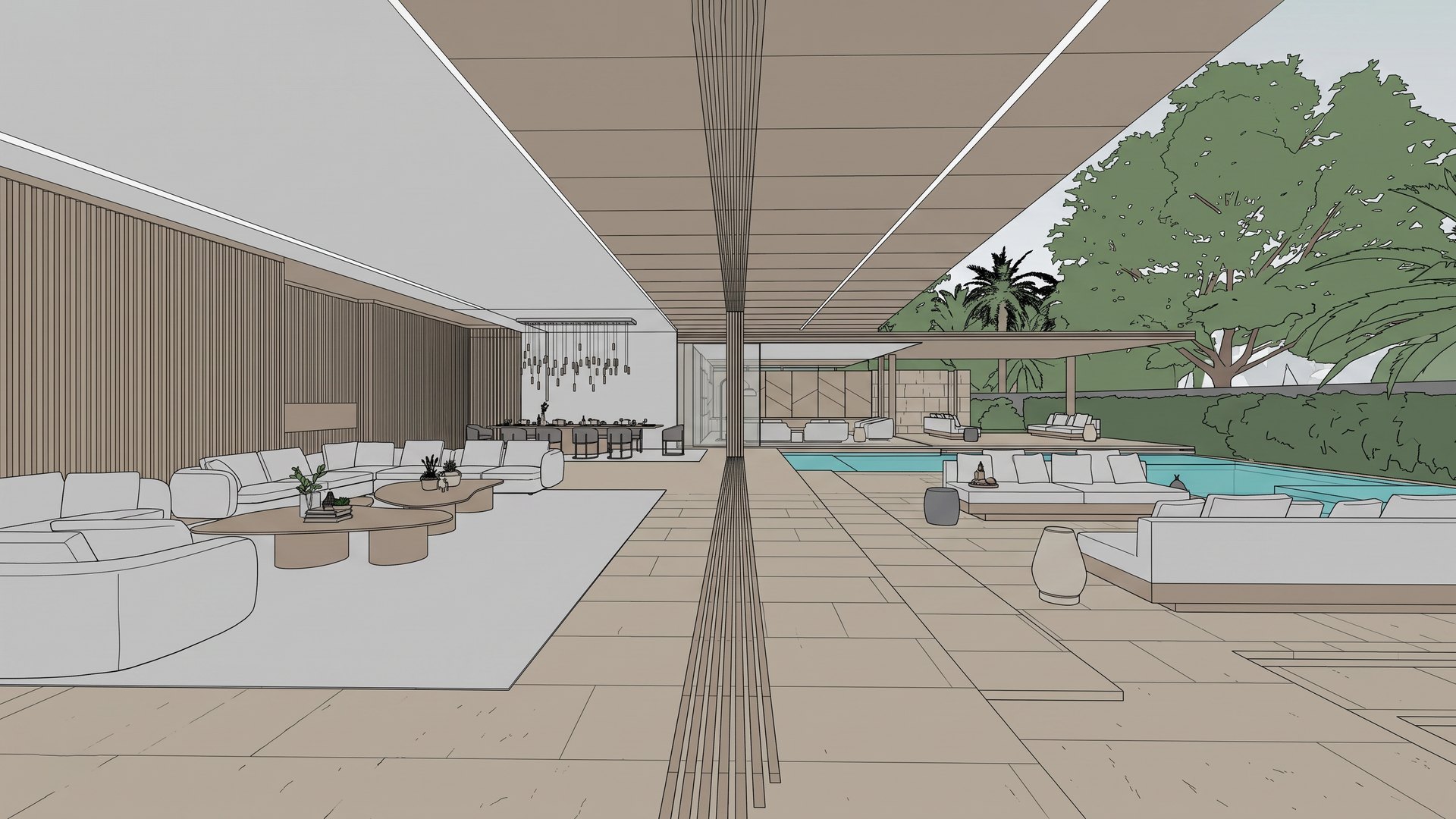
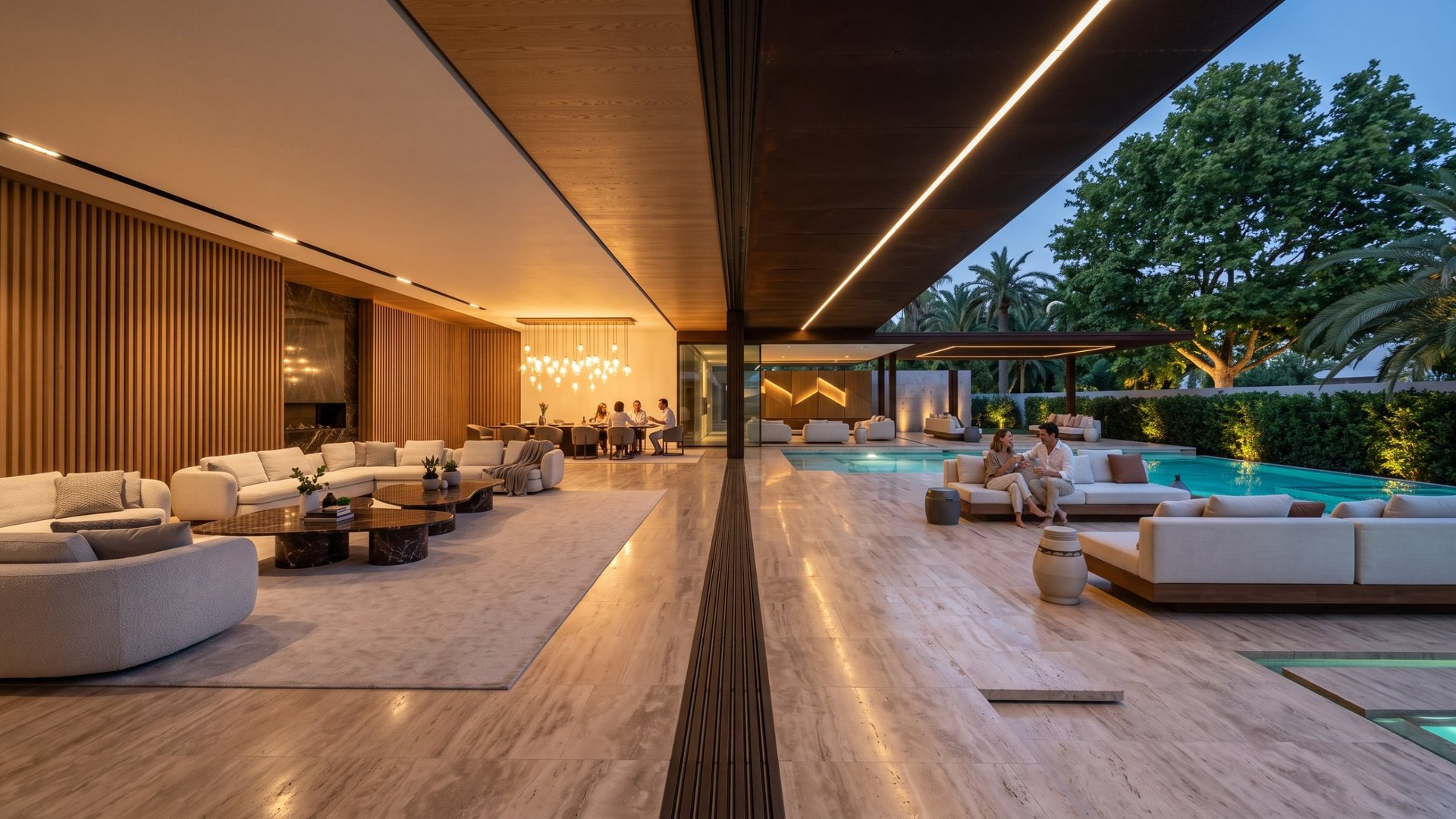
Turn a viewport grab, model or sketch into a photoreal render that keeps every line where you drew it.

Drag to compare
Photoreal render Original viewport grab Your exportThe render
Design: SAOTA

Most AI renderers redesign your project. This one is built not to.

Every render is sent with a lock written by people who have spent three decades getting buildings right for architects and developers.

The camera stays put

Same lens, same eye level, same vanishing points. No zooming, no reframing.

The design stays yours

Walls, openings, storeys, joinery and furniture stay where you modelled them. The AI adds materials, light and life, not new architecture.

Your frame comes back exactly

Odd image sizes are extended, rendered and trimmed back, so nothing is ever cropped off your view.

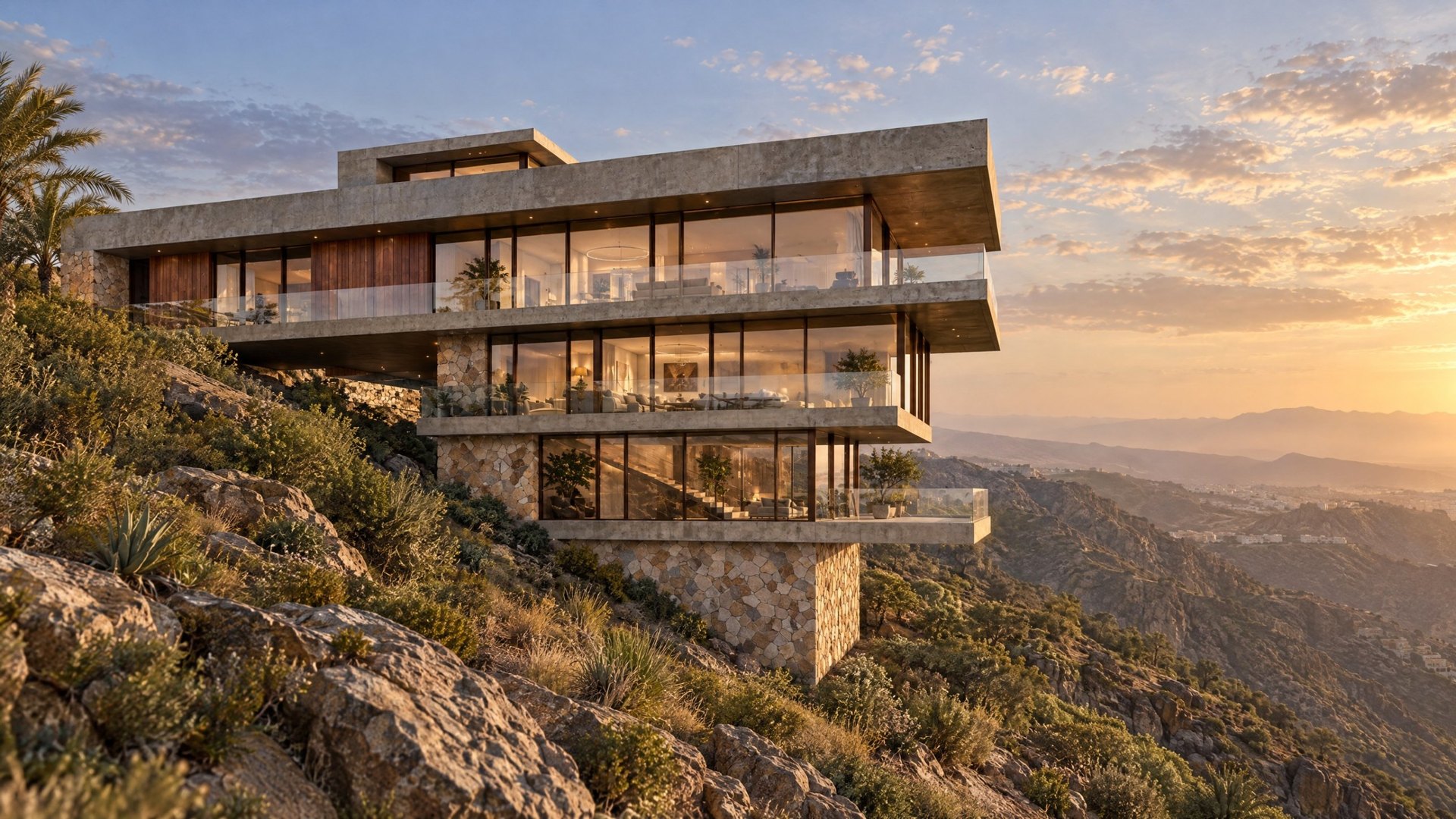
Exterior render made with FP_IMAGING
Design: Ted Givens + Partners

Three steps, no rendering setup.

Works with viewport grabs from any 3D program (SketchUp, Revit, 3ds Max, Rhino, Archicad, Blender), real-time engines like D5, Twinmotion and Unreal, existing renders, and hand sketches.

Drop your view

A viewport grab, clay render or sketch. One image per camera angle.

Choose the look

Time of day, weather, season, style, materials, people. Or pick a quick style and go. The prompt is written for you.

Render, then refine

One image or a batch of eight. Fix details with layers, make new angles, or turn the still into a film.

One app for inside and out.

Switch between Interiors and Exteriors at any time. Same gallery, same models, same account. Landscapes is next.

Interior render

FP_IMAGING | INTERIORS

  • Quick styles: one click from Japandi calm to hotel luxury
  • Set floors, walls, joinery and furniture in plain words
  • Styling accessories, light, mood and people
  • Smart picks: the AI finds the details worth a close-up
  • Morning light, golden hour or night with every lamp on
Open Interiors
Exterior render

FP_IMAGING | EXTERIORS

  • Pin the real site on a map; the engine researches the place
  • Sky, season, landscaping, people and traffic
  • Turn any render to dusk, night, rain, fog, desert haze or snow
  • Drone, orbit and worm's-eye views from one render
  • Camera moves for film: push in, crane up, fly-over
Open Exteriors
Non-destructive AI editing

Every AI edit is a layer. Your render is never touched.

Many AI tools remake the whole picture each time you ask for a change, so the part you liked can quietly change too. Here every change sits on its own layer above the original, like a retoucher's working file. Keep what works, undo what doesn't, and come back to it next week. It works on any image, including renders from Enscape, Lumion, D5 or V‑Ray.

An exterior render open in the FP_IMAGING editor

Layers

Scene: Golden hourWhole image · erased back on the sky
Add people on the terraceBrush area · edge softened
Lusher planting on the slopeLasso area · 85% opacity
Original renderNever changed

Illustration of the layer panel. Design: Ted Givens + Partners.

Mark it, describe it

Brush, marquee or lasso an area and say what you want. Add a reference picture for a specific car, tree or material.

Every change is its own layer

Hide it, fade it, soften its edge or nudge it into place. Erase part of a layer, or paint it back.

Whole-scene changes too

Time of day, weather and season arrive as a layer, so you can keep the original wherever you want it.

Blends into your render

Each new patch is colour-matched to the render around it, so it sits in the same light.

Saved as you go

Every layer saves itself. Reopen it later, revert to the original in one click, or branch a copy to try another idea.

No waiting around

Mark the next area while the last one is still being made. Several edits run at once.

The render is where it starts.

New views

Orbits, close-ups and lifestyle vignettes from a finished render, with the design held.

Edit with layers

Non-destructive: every AI edit is a layer you can fade, erase or delete. The original render is never changed.

Time, weather, season

Turn any render, or one from another renderer, to sunrise, dusk or night, rain, fog, desert haze or snow, spring or autumn. The design stays put, and the change is a layer you can erase back.

Video and film

Architectural camera moves from your stills, then cut clips into one film with transitions and music.

Ten leading models

Nano Banana, FLUX, GPT Image, Seedream and Kling. Choose per render; compare in the gallery.

Batches

Up to eight variations at once. Like the best, recreate it, or use it as a style reference.

Share and download

PNG or JPG, copy to the clipboard, or send straight to LinkedIn, Instagram, X and Facebook.

Line drawings

Turn an old render or photo with heavy baked-in lighting into clean linework, then render it fresh.

Upscale to print

Four upscale engines, from a quick faithful 2x to print-quality results up to 64 megapixels.

Export flat. Get photoreal.

The one thing that decides your result: shadows baked into your export turn into grey walls, dark materials and dirty ceilings.

  • ✓
    Even colours, no shadowsSwitch off shadows and ambient occlusion in your viewport.
  • ✓
    Edges and profiles visibleLines tell the engine exactly where every element sits.
  • ✓
    A standard frame16:9, 3:2 or 4:3 gives the cleanest alignment.
  • ✓
    Already rendered? That works too.Enscape, Lumion, D5 or V-Ray output keeps some of its own lighting. For a completely new look, switch shadows off first, or use Convert to line drawing in the app.
With shadows. Whites come out grey.
Flat. Clean colours, every edge clear.

Simple credits. No rendering bills.

Pay monthly for credits. Bigger renders and premium models use more credits; you always see the cost before you click.

What a credit buys

Need more this month?

Top up any time. Top-up credits never expire.

Prices in US dollars, before any local tax.

Secure checkout by Paddle

Paddle is our official reseller (Merchant of Record). It's a UK payments company, Paddle.com Market Ltd in London, that runs checkout, tax and invoices for software companies worldwide. Pay by card, PayPal or Apple Pay. Paddle works out and adds any sales tax or VAT for your country and sends you a proper tax invoice. Your bank statement will show PADDLE.NET* followed by our name. Card details go to Paddle and never reach us.

FP_IMAGING for studios and developers

A private edition set up for your team: your own API keys, so you pay the AI providers directly at cost, your house style built in, and help adopting AI across your design process.

Talk to us
  • Runs on your own keys, with spend tracking and budgets
  • Tailored controls and presets for your projects
  • Every improvement to FP_IMAGING included
  • Monthly licence, no per-render markup

Questions

Will it change my design?

It is built not to. Every render carries a camera and design lock, and you can compare before and after with the slider. AI is still AI: check fine detail like window counts before a result goes to a client, and fix anything with a layer edit.

Which 3D programs and inputs does it work with?

Anything that can save an image. Viewport grabs from SketchUp, Revit, 3ds Max, Rhino, Archicad, Vectorworks, Blender, Chief Architect and Cinema 4D; real-time engines like D5 Render, Twinmotion, Unreal Engine, Lumion, Enscape and Chaos Vantage; existing V-Ray or Corona renders; even hand sketches and marker drawings. For the cleanest result, export a flat view: viewport shading, shadows and ambient occlusion switched off, in a standard frame shape such as 16:9 or 3:2.

Can I use an existing render or a hand sketch?

Yes. Hand sketches and basic renders work well. If an old render has strong lighting baked in, use "Convert to line drawing" in the app first: it turns the render into clean linework so the new materials and light aren't fighting the old ones.

Can I change the time of day or weather on a render I already have?

Yes. Open any render in the Edit tab, including one made in another program, and pick a time of day, weather and season: dusk, night, rain, fog, desert haze, snow, autumn and more. The building and camera stay as they are, and the change arrives as a layer, so you can erase it back where you want the original.

What happens to unused credits?

Monthly credits roll over to the next month while your plan is active. Top-up credits never expire.

Can I use the renders commercially?

Yes. Your inputs and the images you create are yours to use for client presentations, marketing and sales.

Do you train AI on my work?

No. Your images are sent to the rendering model to make your render and are not used by us to train anything.

Who handles payment?

Paddle, our Merchant of Record. Paddle.com Market Ltd is a UK company that sells software subscriptions on behalf of thousands of companies: it takes the payment, charges the right tax for your country, issues the invoice and handles refunds and receipts. Your statement shows PADDLE.NET* and our name. Cancel any time from the link in your Paddle receipt.

Can my whole team use it?

Yes. For studios and developers we set up a private edition on your own API keys. Get in touch and we'll show you how it fits your workflow.